One System for Every User
Support office phones, mobile users, remote staff, browser calling and multi-location teams from one hosted platform.
Cloud calling for office phones, mobile users, remote teams and multiple locations—backed by managed call flows, resilient SIP connectivity and real telecom engineers.
More than a list of calling features—Triton helps design the users, devices, call flows and migration plan around your business.
Support office phones, mobile users, remote staff, browser calling and multi-location teams from one hosted platform.
Build auto attendants, business-hour schedules, ring groups, queues, forwarding rules and department routing.
Triton helps review users, phone numbers, call paths, testing needs and cutover requirements before go-live.
Get help from engineers who understand SIP, phones, routing, audio, network conditions and business continuity.
Hosted PBX can support different devices and work styles while preserving one business calling experience.
Traditional business calling for offices, reception areas and dedicated workspaces.
Business calling for employees who work away from their desks or across multiple locations.
Calling from a computer for remote users, support teams and mobile workforces.
Where supported, users can access calling tools without relying on a traditional desk phone.
Connect branch offices and distributed teams under one coordinated call-handling design.
Route callers based on business hours, menu selections, department availability and after-hours requirements.
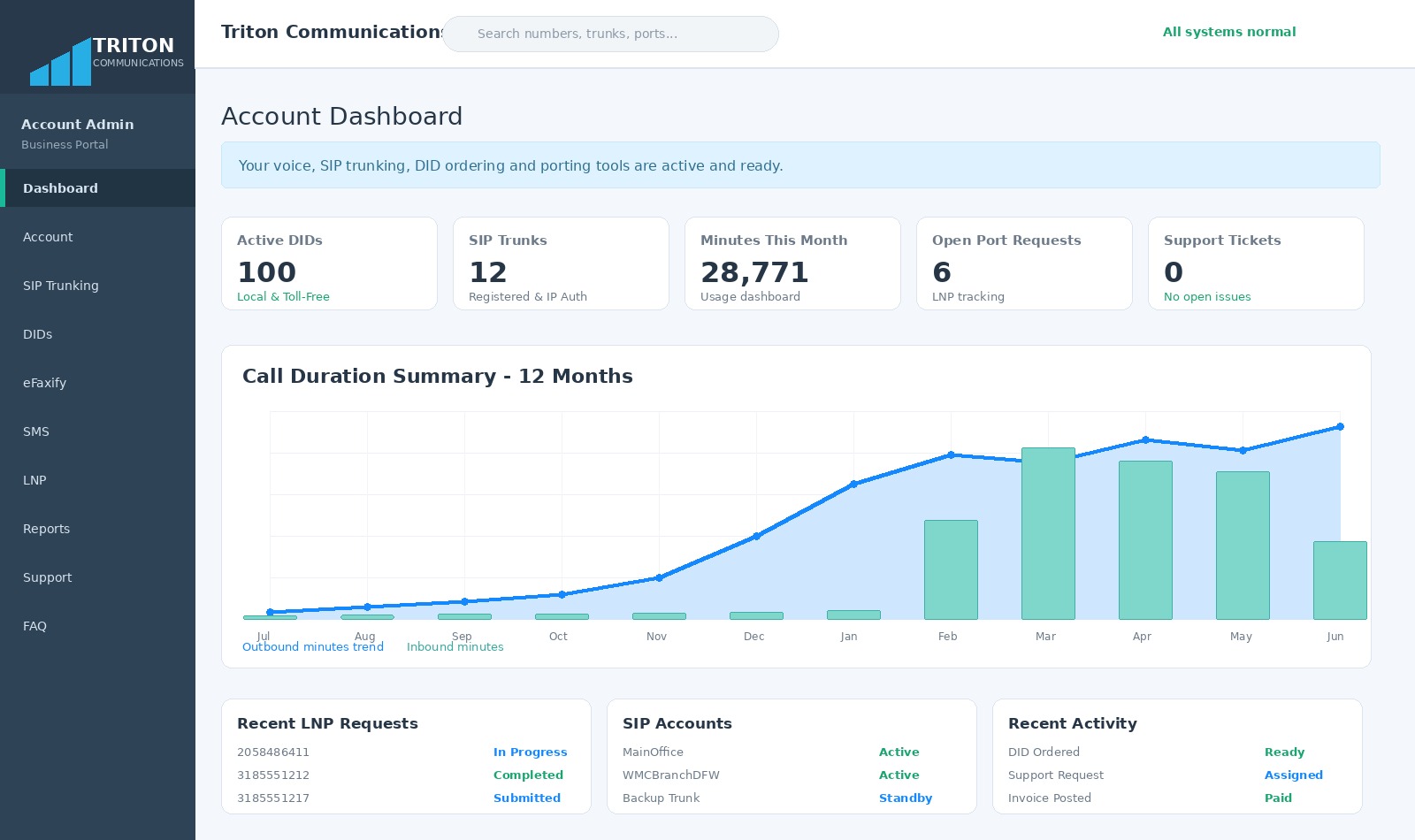
Monitor usage, SIP accounts, number-porting requests, billing and service activity from one customer platform.
The Triton portal gives customers practical visibility across account activity, numbers, usage and support workflows.
Triton helps organize users, numbers, devices, call flows, testing and cutover activities before production service begins.
Users, phones, locations, DIDs and current features.
Extensions, devices, call flows, schedules and routing.
Users, numbers, voicemail, queues and system settings.
Inbound, outbound, caller ID, audio and user workflows.
Coordinate number ports and production go-live.
Help users and resolve post-cutover issues.
Triton can design Hosted PBX solutions around geographically diverse switching, alternate SIP paths, carrier diversity and customer-specific continuity requirements.
Availability features depend on the selected service design, customer endpoints and routing requirements.
Device and application support depends on the selected platform, software version, licensing and deployment configuration.
*Where supported by the selected Hosted PBX platform and deployment design.
Coordinate users, numbers and call handling across several offices.
Use auto attendants, voicemail, forwarding and business-hour routing.
Support office phones, remote extensions and mobile users.
Use queues, ring groups, reporting and call-recording options.

Triton AI can help explain features, gather system requirements, answer portal questions and prepare visitors for a migration or engineering review.
Quick answers for buyers, administrators and distributed teams.
View All FAQs →Hosted PBX can support different device types and work styles depending on the selected platform and account configuration.
Yes. Triton can review the numbers, submit port requests and coordinate the migration plan.
Yes. Triton can help design and configure menus, schedules, queues, ring groups, forwarding and voicemail workflows.
Yes. Remote-user options can include supported desk phones, mobile applications, desktop applications and other approved configurations.
Call-recording options may be available depending on the platform, account type, legal requirements and configuration.
Yes. Triton can help design a shared calling environment for multiple locations and distributed users.
Triton reviews users and numbers, designs call flows, configures the system, tests service, coordinates ports and supports the production cutover.
E911 options depend on the account, user location and service configuration. Emergency addresses must reflect the actual service location.
Tell us how many users, locations, numbers and call flows you need. Triton will help design, configure, test and migrate the system.
